Free & open source · Blender 4.2+

Block out worlds,
not geometry.

A parametric greyboxing kit for Blender. Drop in live primitives, bend roads and walls along splines, and let an AI assemble whole scenes — every piece stays editable.

// GPL-3.0 · Geometry Nodes · no dependencies · tested on Blender 5.1

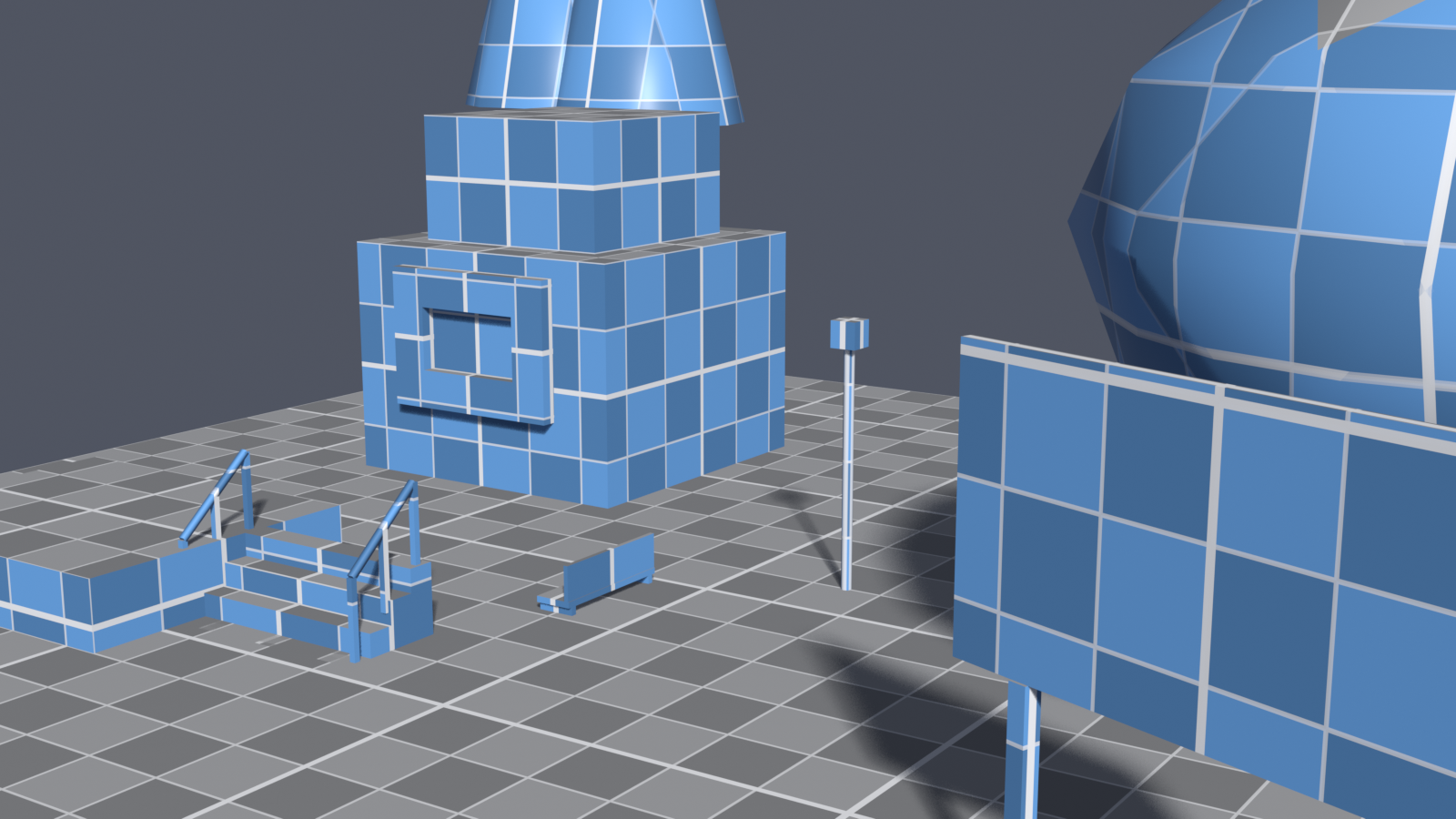
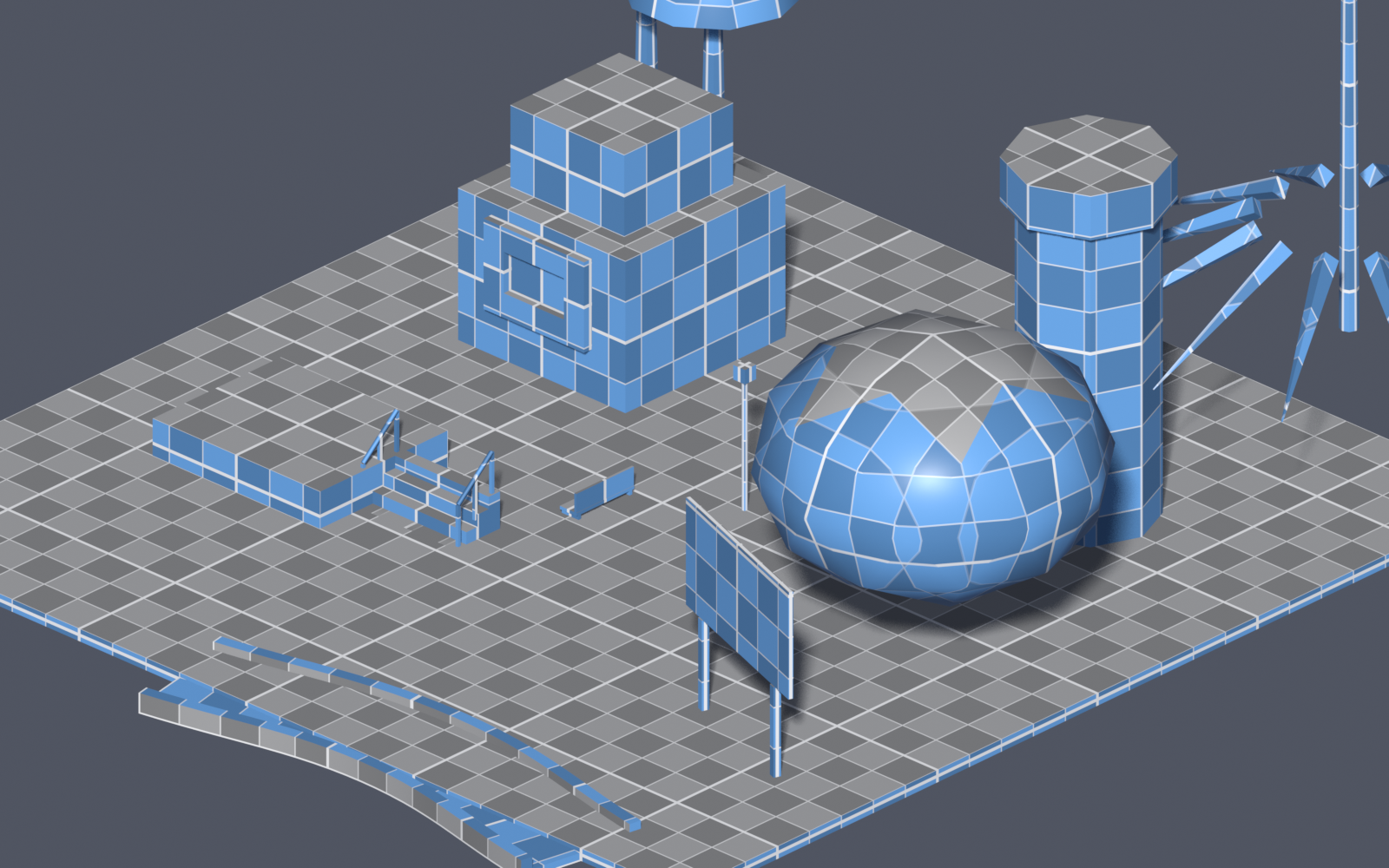
// scene.blockout GRID 1.0 m x 26.0 · y 26.0 42 types A greybox town blocked out with BareBlocks: a building, tower, road, stairs, trees and a billboard on a blue grid.
42+
Building blocks
12
Tree species
11
Categories
0
Packages to install
Watch · 2 min

See a level come together.

Drop blocks, drag a gizmo to resize, bend a road along a spline, and let the AI fill in the rest.

What's inside

A whole greyboxing pipeline, built into the N-panel.

Everything is driven by Geometry Nodes, so nothing is ever baked. Resize, re-route, recolor and rebuild as the design changes.

Parametric primitives

Every block is live Geometry Nodes — size, taper, steps, radius and more stay editable forever.

Non-destructive

Snapping grid material

A triplanar grid + checker locks to each block, with minor and major lines that read as real measurements.

Per-object color

Spline roads, walls & stairs

Track, Wall, Railing and Curved Stairs follow an editable spline — bend the path for smooth curves or sharp corners.

Follows a curve

AI scene builder

Describe a scene; the agent proposes an editable checklist, you approve, and it builds with the blocks — using your OpenAI key.

Plan → approve → build

In-viewport gizmos

BareBlocks mode adds resize handles with live cm/m readouts and grid snapping, next to Blender's transform gizmos.

Drag to resize

Align, distribute & bundles

Illustrator-style align/distribute in the view plane, plus reusable block bundles and an asset library.

Layout tools
The kit

42 blocks. One palette.

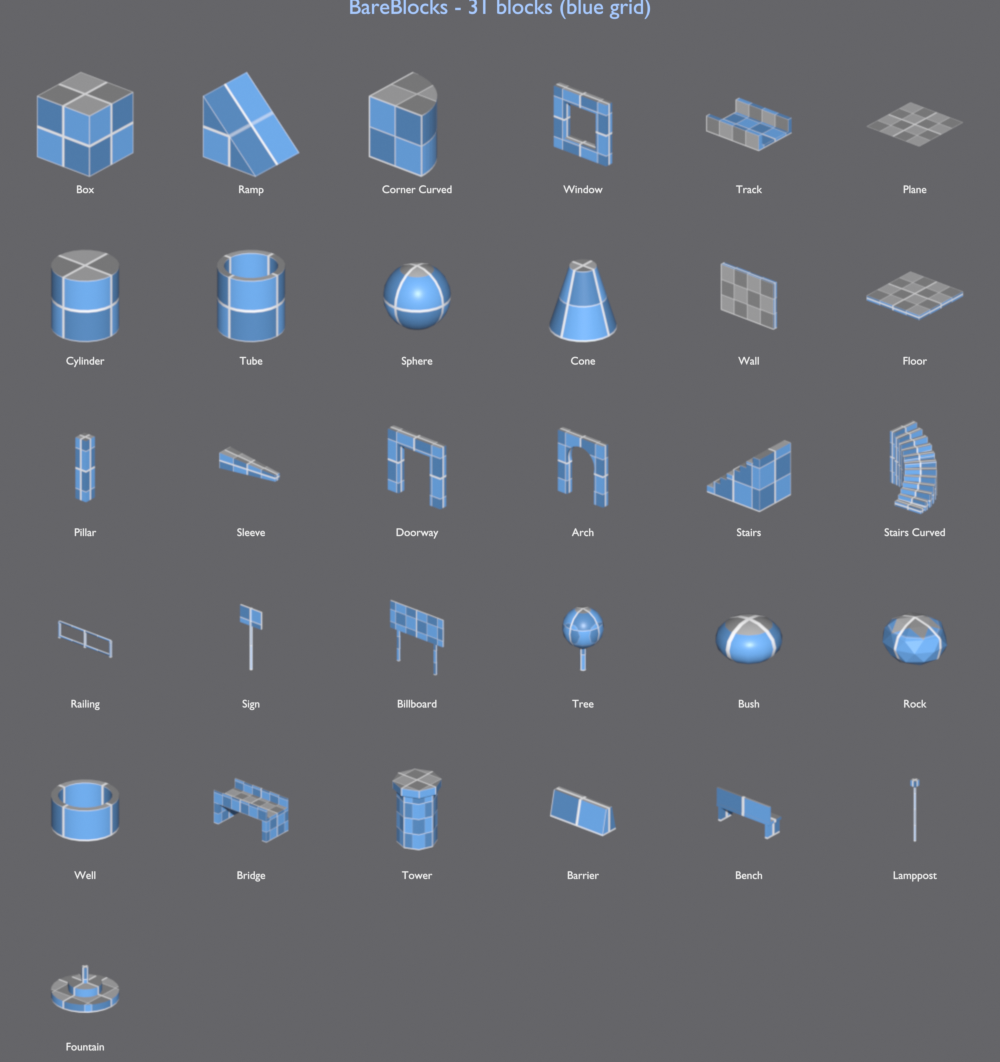
Click a thumbnail to drop a block, then dial it in from the panel. From boxes and ramps to doorways, spiral stairs, signage and street props.

PrimitivesStructural Ramps & CornersOpenings StairsPath SignageTrees StructuresProps
The BareBlocks palette: 42 blue blockout thumbnails with labels.
Nature

A forest from one node tree.

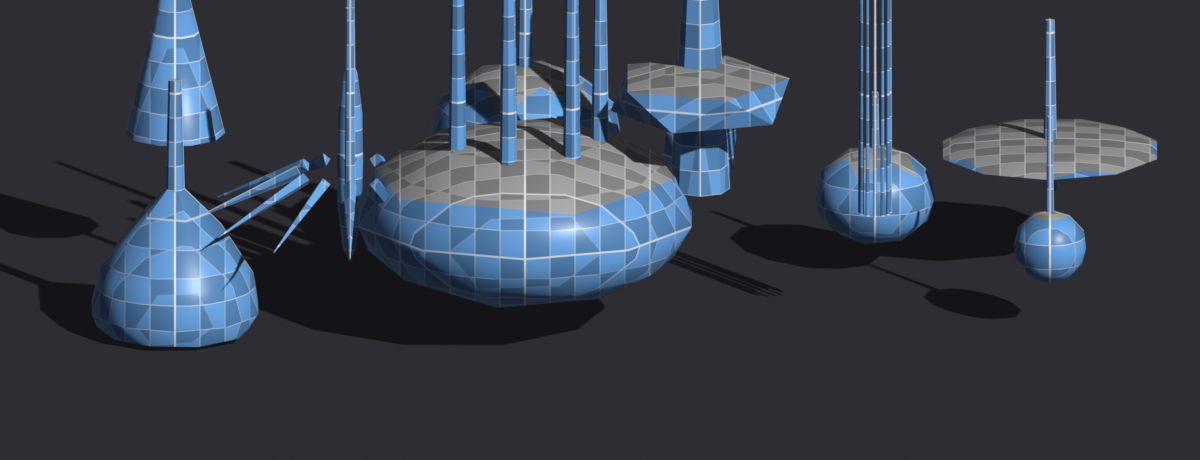
One procedural tree generator drives twelve species presets — pine, palm, oak, willow, cypress, banyan and more. Swap canopy shape, height, multi-trunk and droop.

  • Canopy shapes — sphere, cone, column, umbrella, fronds.
  • Multi-trunk — banyans and bamboo from one slider.
  • Per-tree color — recolor without touching the others.
Twelve blockout tree species rendered in blue.
★ Built-in AI · the standout

Describe a scene.
It builds it.

No other blockout kit does this. An agent that uses the blocks as its tools — it plans the layout, then constructs it, while you stay in control.

  • Plans first — returns an editable checklist; reword, reorder or uncheck steps before anything is created.
  • Builds with the blocks — adds, edits, recolors and routes them, keeping pieces on the ground and to scale.
  • Shows its work — the model's reasoning streams into the activity log as it goes.
  • Your key, your model — runs on your own OpenAI key; nothing extra to install.
Get BareBlocks

Free and open source. Forever.

A single Blender extension — download the .zip, install from disk, and enable. Built for Blender 4.2+ and tested on 5.1.

GPL-3.0 licensed: read the code, fork it, ship your own blocks. The whole kit — every block type, the AI assistant, gizmos and bundles — at no cost.

Download free → Star on GitHub
GPL-3.0 · BLENDER 4.2+